
I Changed My Name in Zenless Zone Zero: Here's How You Can Too in 2026
Change your Proxy name in Zenless Zone Zero (ZZZ) fast with this easy 2026 method.
It happens to the best of us. You dive into a new game, smash through the intro, and suddenly you’re stuck with a username that makes you cringe every time you see it. Maybe you fat‑fingered the keyboard, or your Proxy persona just doesn’t vibe with your original choice anymore. In 2024, miHoYo’s urban fantasy hit Zenless Zone Zero (ZZZ) gave us a simple name‑change feature, and I’m happy to report that even now in 2026, the process remains as painless as ever. Let me walk you through how I reinvented my Inter‑Knot identity.
Back in July 2024, I started my ZZZ adventure as both Belle and Wise, but I rushed through the character creation and ended up with a name that screamed “placeholder.” I figured it would be like my birthday—permanently locked once confirmed. And that part is true: you cannot change your birthday after setting it, a design choice that still stands in 2026. So if you want those special greetings from your favorite Agents in August, make absolutely sure you input the correct date. Your name, however? That’s a different story.
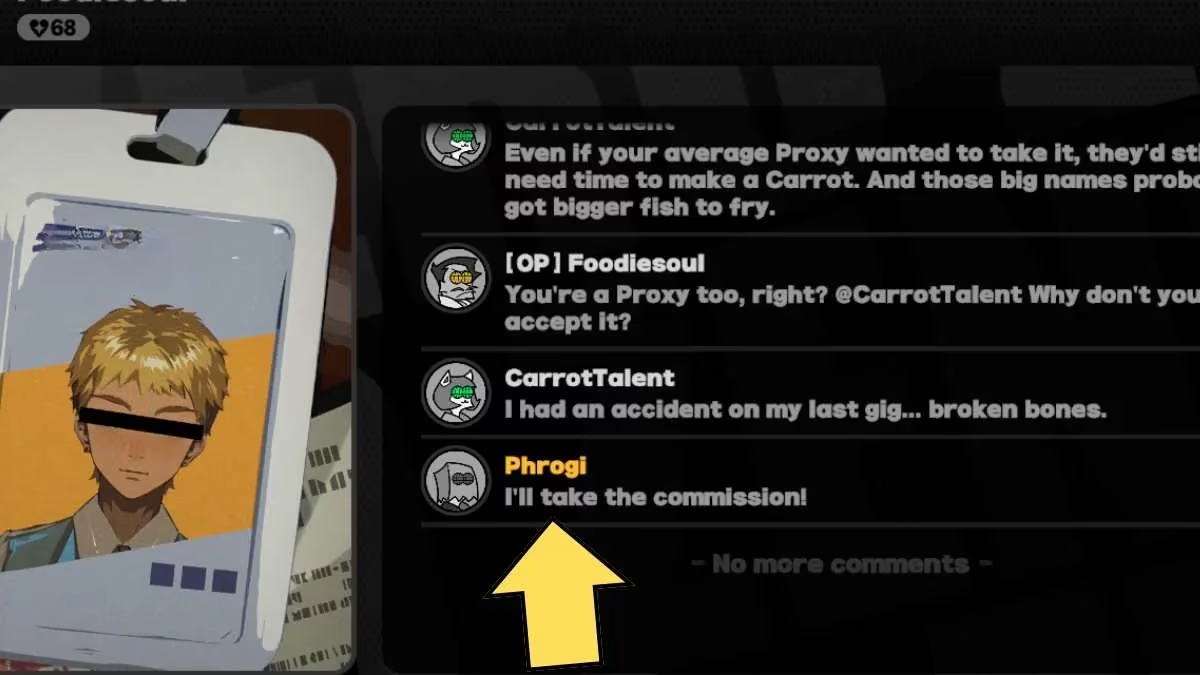
Most characters in New Eridu will address you directly by the name of your chosen Main Character—Belle or Wise. But the name you pick for yourself as a Proxy is what glows on your Intro‑Knot profile, sits in your message threads, and represents you to every other Proxy out there. That’s why picking something that fits your style matters. When I finally decided to ditch “Proxy1234” for something with a bit more flair, the game handled it without a single hitch.
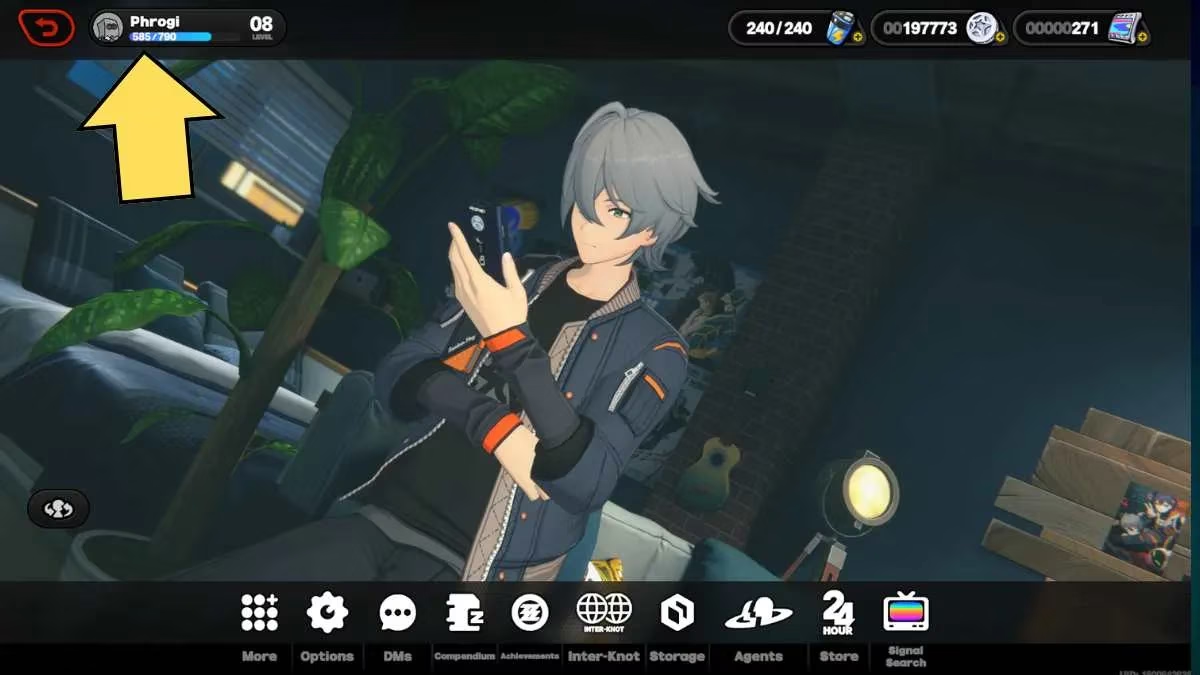
Here’s exactly what I did, and what still works flawlessly in the current 2026 version of ZZZ. First, open the main menu. You’ll see your profile in the top‑left corner—tap it. Make sure you’re on the Inter‑Knot Friends tab and looking at your Personal Homepage. This screen is your identity hub. From here, you have two equally easy ways to change your name.
The Lightning‑Fast Method
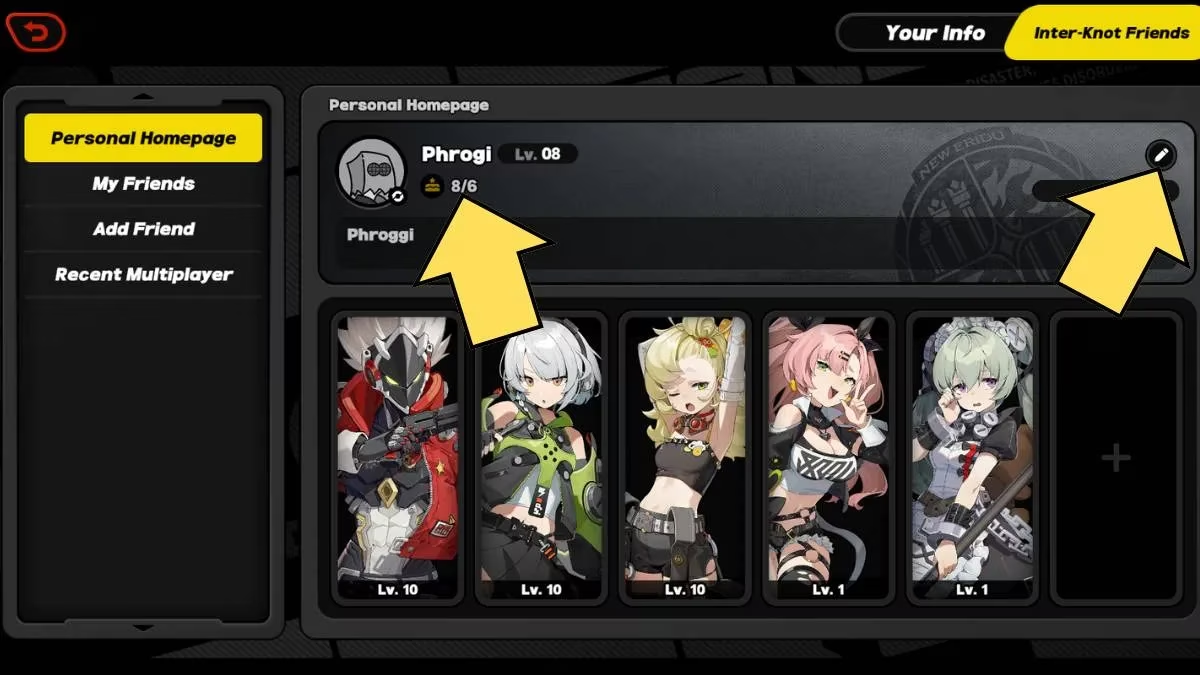
Just click directly on your current username. A pop‑up will immediately appear, asking for your new handle. Type it in, confirm, and you’re done. I used this method when I realized my old name was still showing up in co‑op sessions. It took less than ten seconds.
The Full Makeover Method
If you want to overhaul more than just your name, hit the editing button (the little pen icon on the right side of your profile). This opens a more detailed pop‑up that lets you tweak multiple elements at once. I prefer this route when I’m in the mood to refresh my entire Proxy identity. Here’s everything you can modify in one go:
-
Avatar: Swap your profile picture to match your new vibe.
-
Username: The star of the show—your new Proxy call sign.
-
Signature: A short motto that appears under your name.
-
Birthday: At last, you can add or make your birthday visible to friends. But remember, once the date is set and saved, there’s no undoing it.
-
Agent Display: Choose which Agent stands next to your profile during interactions.
-
Namecard: Change the background card that frames your entire profile.
A word of caution from my two years of Proxy life: while the game is forgiving with usernames, it has a few common‑sense restrictions. Offensive language, prohibited symbols, or excessively long strings will be blocked. Stick to a name that reflects your personality without violating the community guidelines. Also, don’t expect to cycle through names every hour—the system doesn’t impose a strict cooldown, but trying to change it dozens of times in a day might trigger a temporary lock to prevent abuse. In my experience, once a week is perfectly safe and gives you enough time to decide if you actually like your new title.
Another tip: your Inter‑Knot friends will see your new name immediately in their friend lists and message logs. There’s no awkward transition period where some see the old name and others see the new. ZZZ propagates the update server‑side instantly. I tested this with a few fellow Proxies, and they saw my updated handle before I even finished typing out a chat message. That kind of seamlessness is exactly why this feature remains one of my favorite quality‑of‑life additions.
Why the Name Change Still Matters in 2026
The Zenless Zone Zero community has exploded since launch, and your Proxy name now appears not only in co‑op battles but also on leaderboards for Hollow Zero challenges and the newly added Rally Commission events. A name that once seemed cool might now look out of place alongside top‑tier Agents. Plus, with the collaboration events we’ve seen in 2025 and 2026—like the crossover with Genshin Impact and the special Honkai‑themed namecards—having a flexible username lets you match your identity with the current event theme. I changed mine to “EtherealEva” during the March 2026 limited event, and the thematic consistency made the experience even more immersive.
Of course, as with any live‑service game, always keep an eye on the official patch notes. While the core method hasn’t changed since 2024, miHoYo did add a small confirmation dialog in version 3.2 (late 2025) that asks “Are you sure you want to change your Proxy name?”—a tiny QoL tweak that’s saved me from an accidental rename more than once. So if you’re reading this guide after a major update, don’t panic if the buttons look slightly different; the heart of the process is the same.
In summary, here’s my cheat sheet for a stress‑free name change:
| Step | Action |
|---|---|
| 1 | Open main menu and click your profile in the top‑left. |
| 2 | Ensure you’re on the Inter‑Knot Friends tab / Personal Homepage. |
| 3 | Either click directly on your name or hit the editing button. |
| 4 | Type your new name and customize other profile elements if desired. |
| 5 | Confirm and enjoy your refreshed Proxy identity. |
Remember, the only truly permanent decision in ZZZ is your birthday. Everything else—avatar, signature, namecard, and even your cherished username—can evolve as you do. So if you’ve been staring at a name that no longer fits, take three minutes to fix it. New Eridu will still feel like home, and now your name will too.